IDE + machine control software, unified
Editor, debugger and runtime live in a single environment. Your sequence becomes the machine's control logic with no separate build/deploy step.

Integrated development solution for PC-based automation control
QMachineStudio distills ICT's experience since 2002 in PC-based equipment control software into a single, purpose-built platform. IO, motors and sequences are controlled through XScript, our in-house scripting language, and code can be edited and debugged while the machine is still running. By absorbing what PLCs do well and removing the overhead of writing everything in C++/C#, it becomes the standard environment for automation equipment PC control.
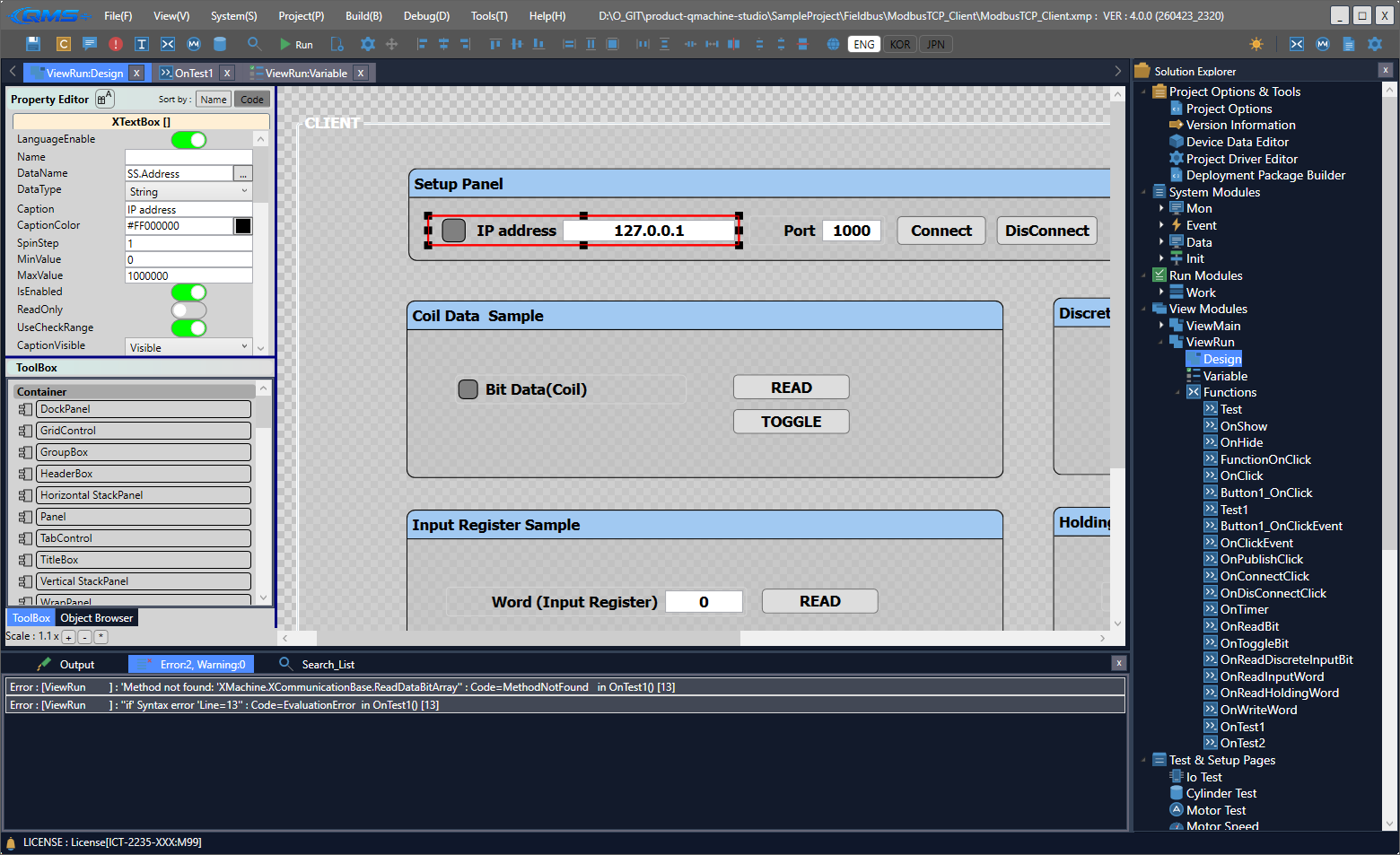
What changed in QMachineStudio 4.0 — a rebuilt script engine, simulation mode, database integration and everything else developed in 2026.
The development tool and the control program are one — the sequence you write is the machine code that runs.
Editor, debugger and runtime live in a single environment. Your sequence becomes the machine's control logic with no separate build/deploy step.
Move from development to operation instantly on the same screen. No simulator detour — verify and refine directly on the actual equipment.
Edit code and inspect variables/signals while the machine is running. Diagnose causes and apply fixes on the spot.
Compiler, GUI designer, built-in tools and log manager are integrated inside one IDE.
Editor, debugger and runtime in one screen — purpose-built for automation equipment.
An in-house scripting language and compiler tuned for machine control.
Drag-and-drop HMI authoring with a library of built-in GUI components.
IO monitor, motor monitor, cylinder test and other diagnostic tools included by default.
Unified collection and management of equipment, communication and sequence logs.
Machine operation screens and built-in development tools, all built in QMachineStudio.

Five picker and conveyor modules step in parallel while tray material is inspected, sorted and transferred — all on one screen.
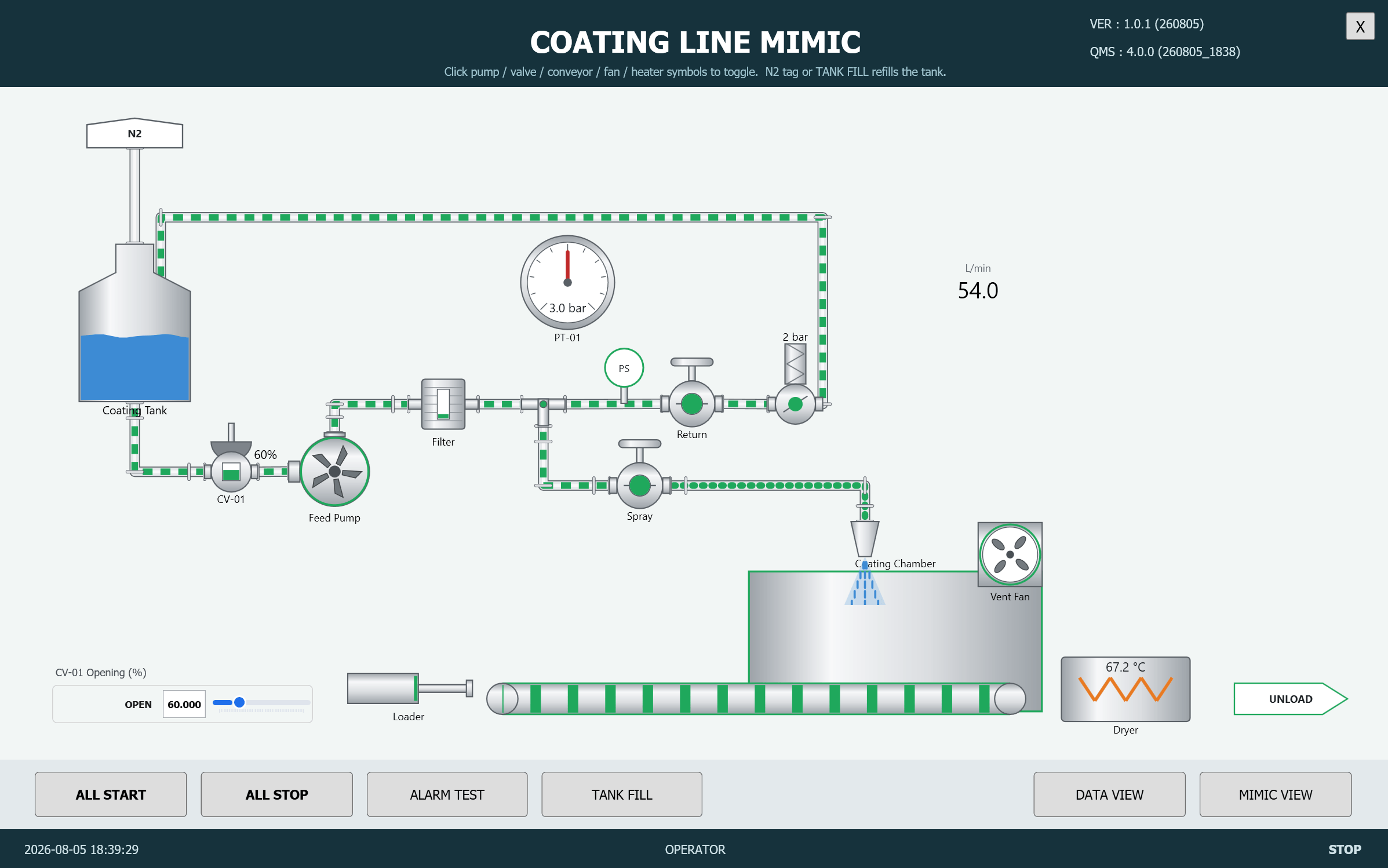
Tanks, pumps, valves and flow meters laid out as on the drawing, with live measurements and valve opening.

Run any of the 18 lessons from a button and compare the source on the left with the execution log on the right.
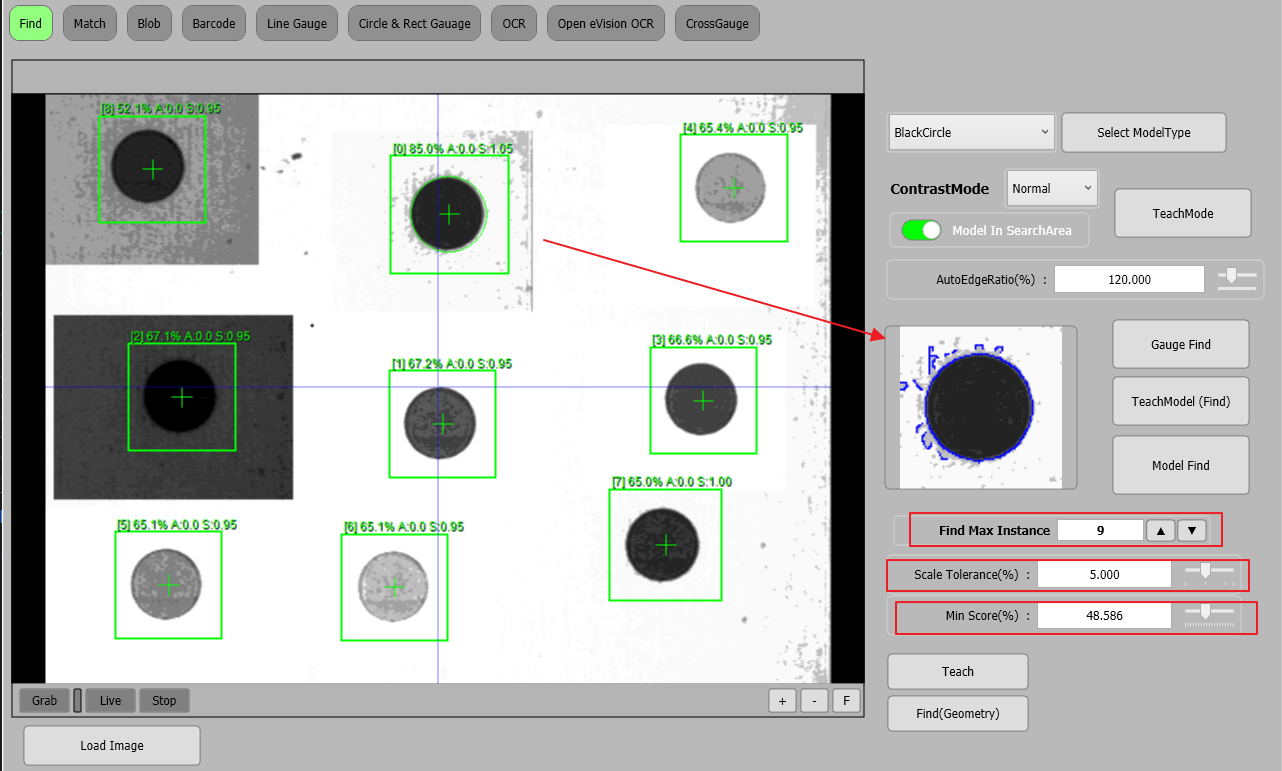
Locates every match for a trained model across the image and reports count, position and match score.
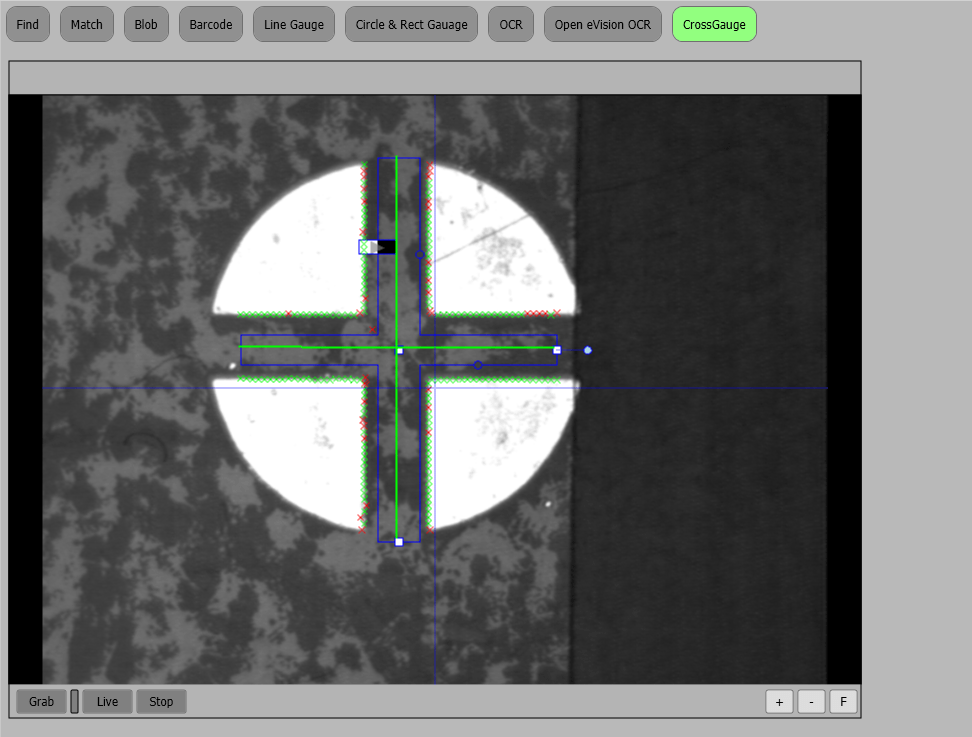
Detects the edges of a cross pattern to measure its width and centre position.
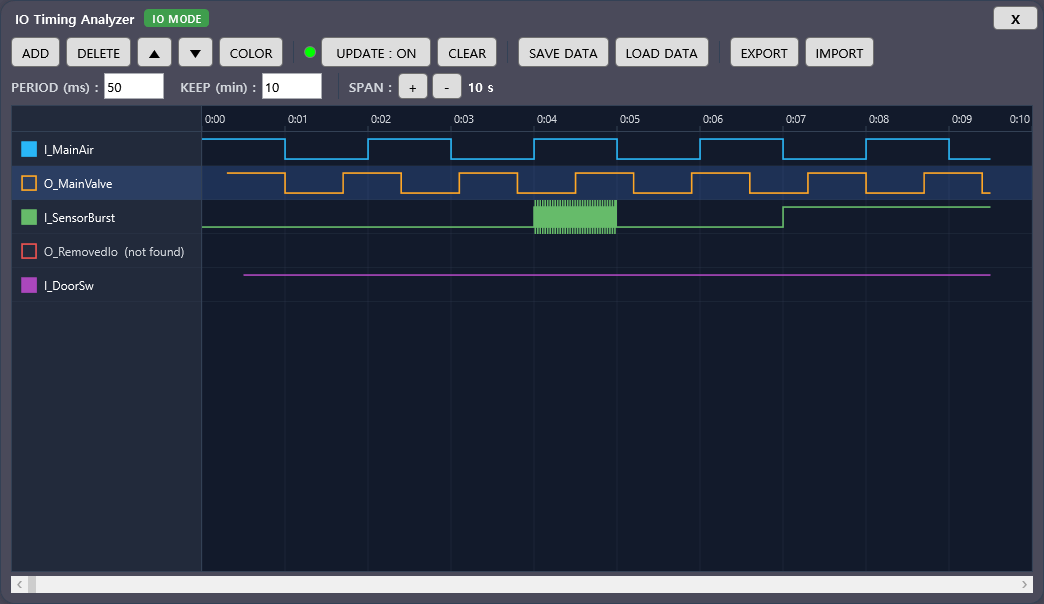
Records input and output transitions as waveforms, so operation order and delays are visible at a glance.
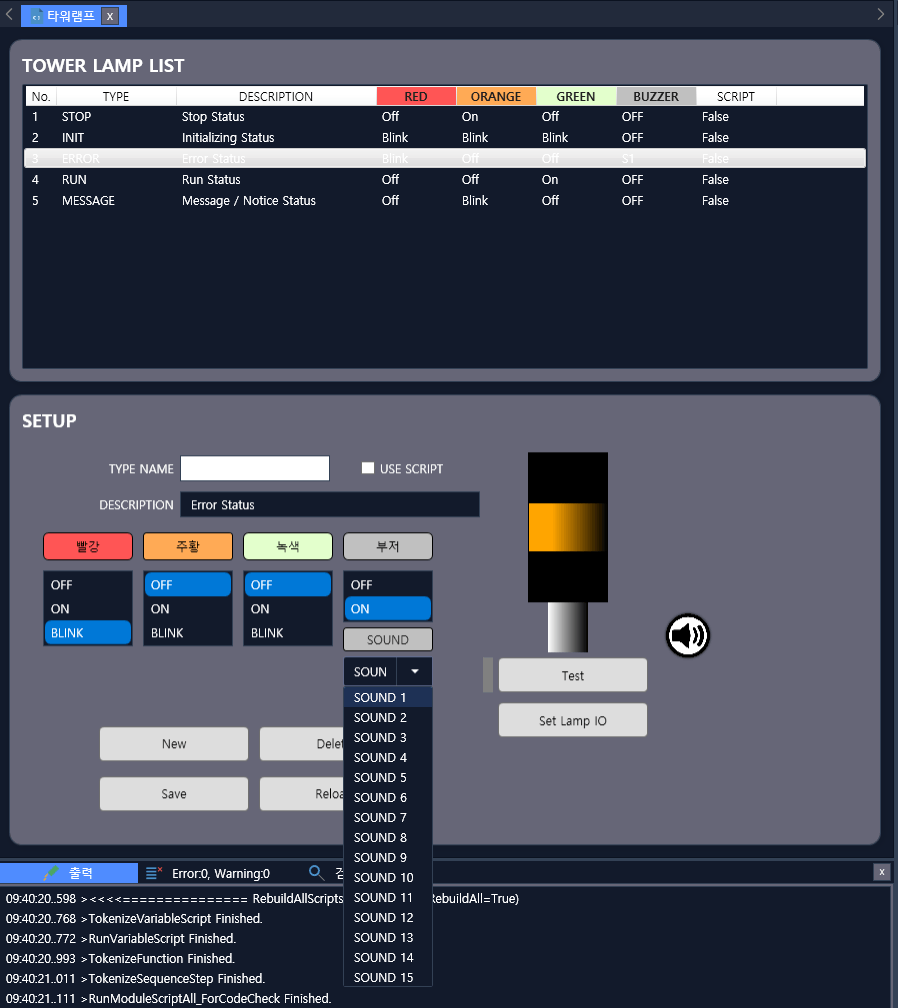
Assign lamp colours and buzzer sounds per operating state in a table and test them on the spot.
Modules a C++/C# team would write from scratch each time are absorbed by QMachineStudio as out-of-the-box features.
How QMachineStudio sits next to general-purpose languages (C++/C#) and PLC ladder logic.
| Capability | QMachineStudio (XScript) | Visual Studio (C++ / C#) | PLC (Ladder) |
|---|---|---|---|
| Integrated development environment | |||
| Runtime development & UI design | |||
| Rich built-in GUI library | |||
| Complex math / formulas | |||
| Accessible to control beginners | |||
| Wide controller compatibility | |||
| High-volume data handling | |||
| Machine vision · MES development | |||
| On-site adjustments | |||
| Hard real-time control | |||
| Source code protection | |||
| PC-control expert consulting |
Hard real-time loops are paired with dedicated motion controllers / PLCs where needed. Source-code protection is partially available through QMachineStudio's VM execution model, and you can deploy bytecode only.
Since 2002, QMachineStudio has driven PC-based automation equipment across a wide range of industries.
A scripting language built for automation equipment control
XScript is ICT's purpose-built language for automation equipment control. Its syntax stays close to C# and C++ so it feels familiar, while a curated set of keywords and built-in functions optimised for sequences, IO and motion lets you express precise behaviour with very little code. Inside QMachineStudio's IDE, compiling, running and debugging happen on a single screen.

      if( IO[bowlSens] )
      {
         // Reverse feeder motors to move up bowls
         MOTOR[feeder].MoveRel(/*position*/-180, /*wait*/true);
      }

      if( IO[btmSens] == OFF )
      {
         // Back off 5mm in case it is caught near the top sensor
         if( MOTOR[lift].MoveRel(5, true ) == false ) // Move 5mm only while the bottom sensor is clear
         {
            result = false;
            ShowError( EB_Reset, 1102, "");  //LIFT motor MOVE ERROR
         }
      }
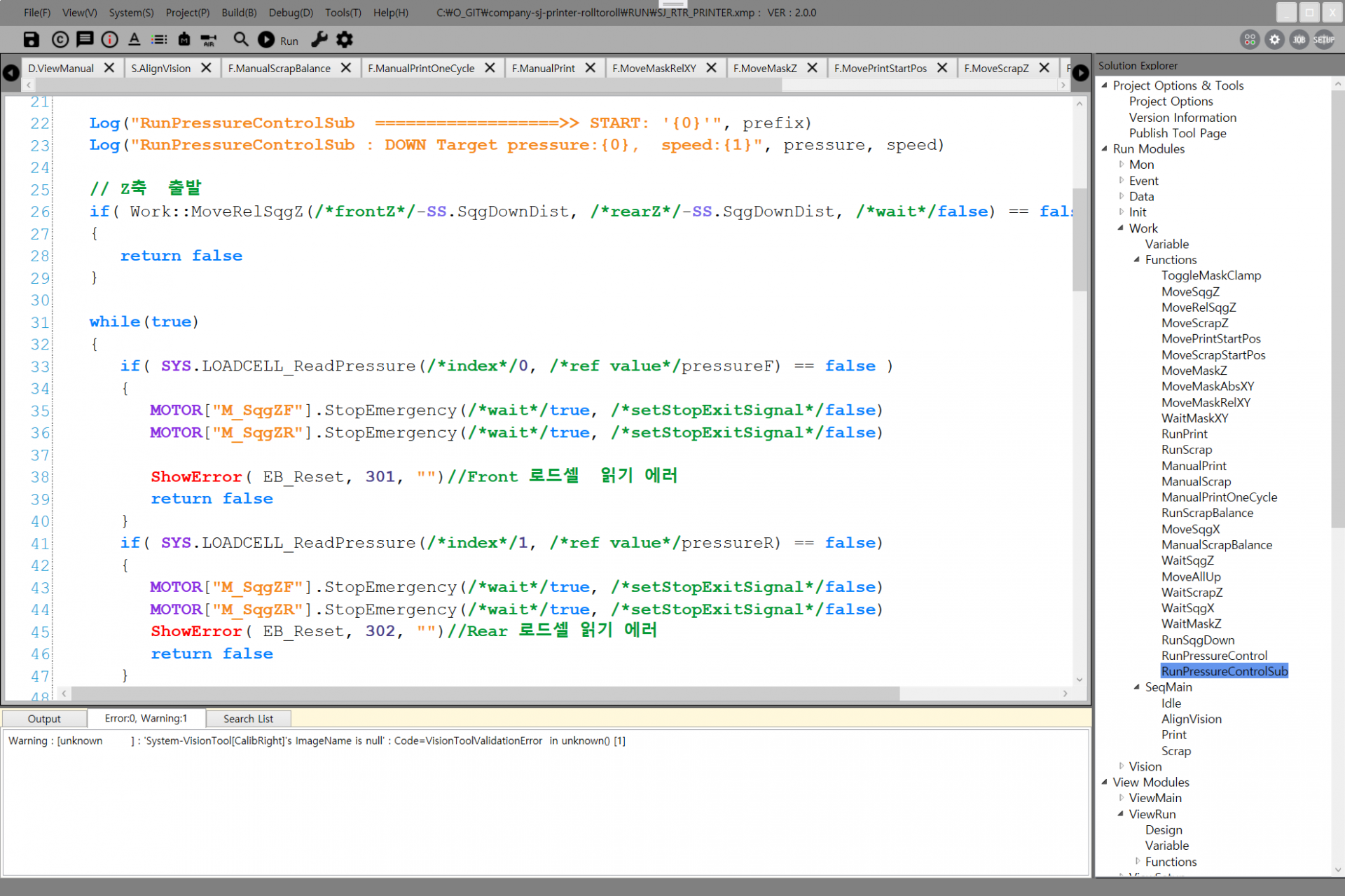
Editor, debugger and runtime in one place — write, run and debug without switching tools.
Edit code while the machine is running and apply changes immediately.
Inspect variables and signals live, finding causes without stopping the line.
Autocomplete, signatures and doc hints speed up input and reduce mistakes.
Manage error codes and messages systematically — easy to trace from the floor.
Hundred-line sequences compile fast, keeping iteration cost low.
QMachineStudio runtime license — verification and usage guide
Click the license area on the equipment program screen to see the current license status. The license must be recognised before the machine can be started.
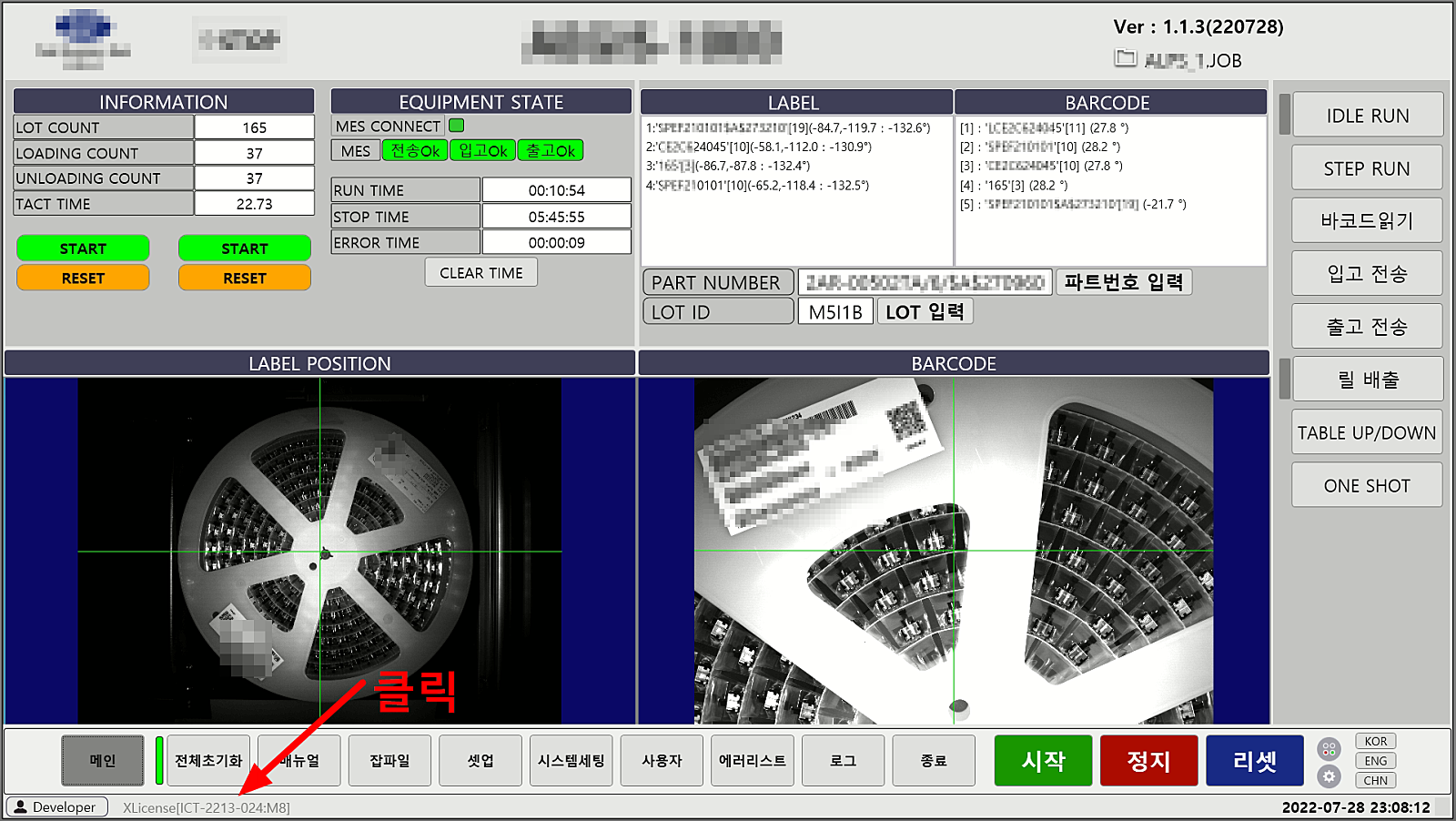
The license dongle (USB key) is detected and the equipment operates normally.
Displayed when the dongle is not connected or cannot be detected. Please connect the dongle before starting the equipment.
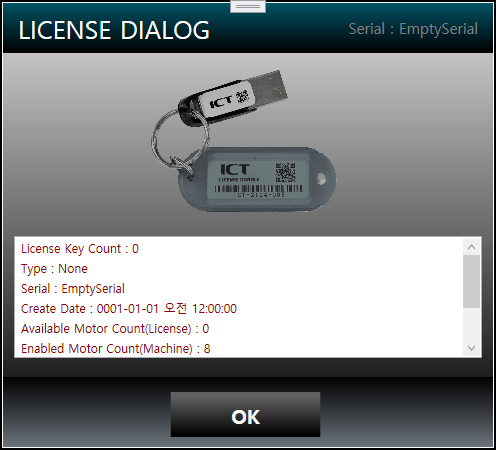
Licensing is enforced via a USB hardware key (dongle) or a software license. The USB dongle requires no driver installation — plug it in and the equipment PC recognises it instantly. Handle it carefully, as a lost or damaged key requires a reissue.
No driver installation required. Plugged into the equipment PC, it activates the license instantly.
A PC-bound software license is also available — pick the format that suits your environment.
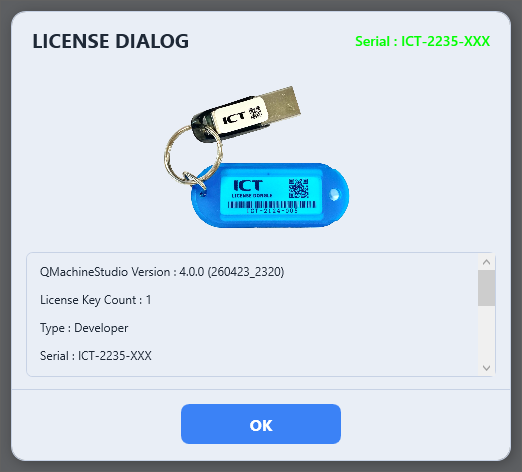
License scope is sized to the equipment's specification and feature mix.
For an exact quote based on your scope and configuration, please contact our sales team.
For license purchases, volume quotes, or contract details, please contact sales@ict-lab.com.